








Whitepaper

One question in. A complete, sourced answer back — built from the same data your firm already trusts.
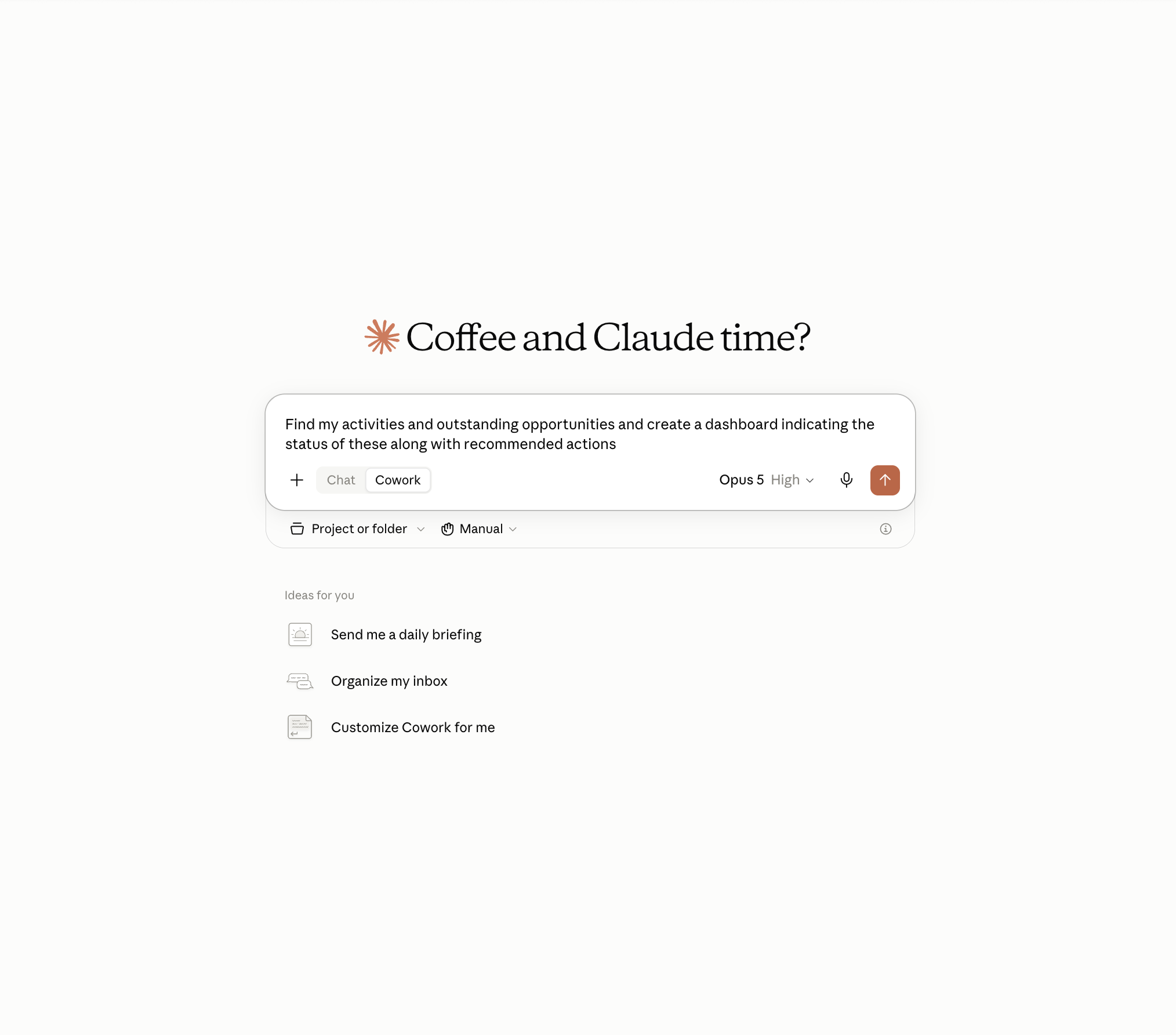
Ask in plain language. No data exports required, no switching systems.
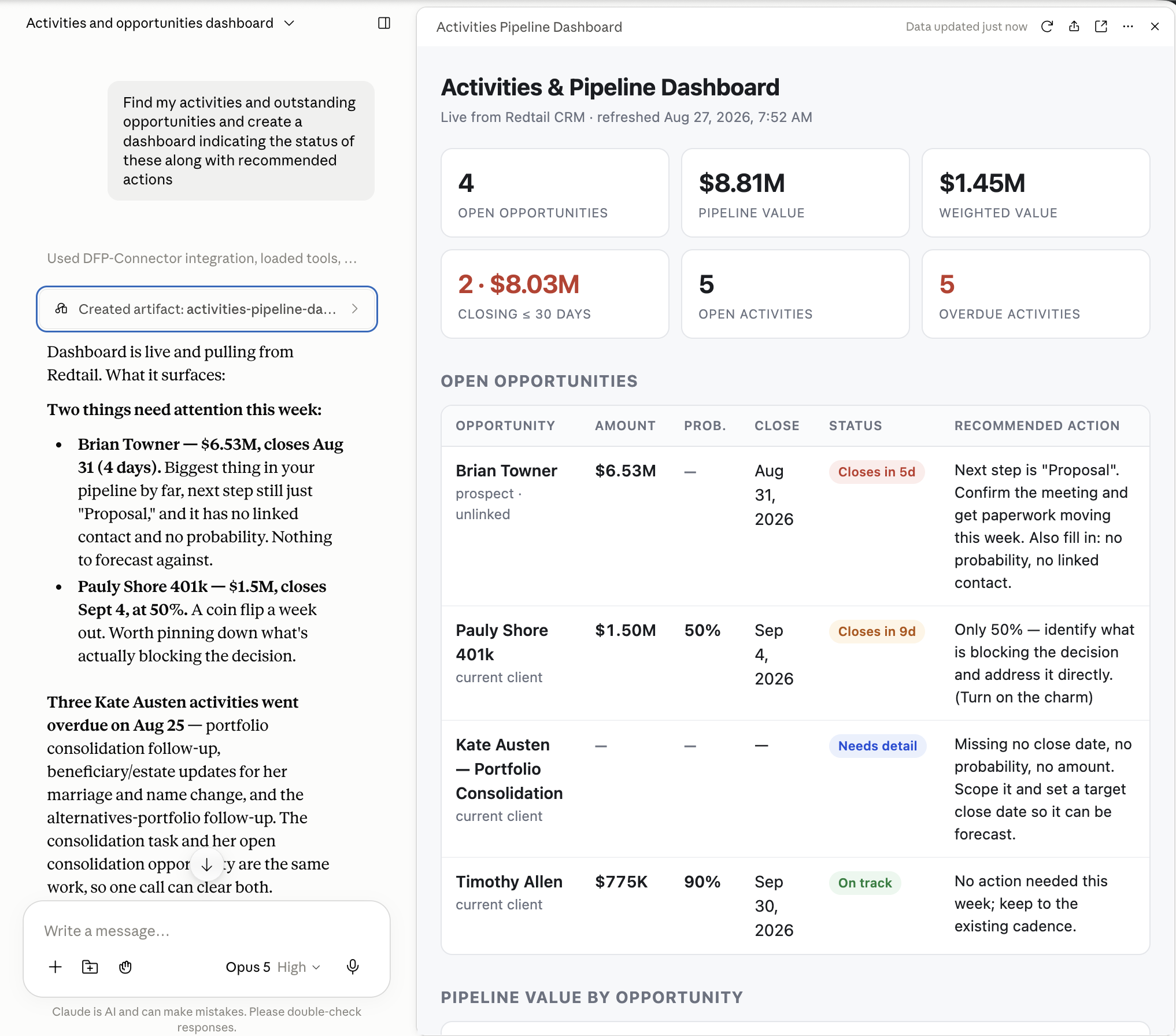
Get a working answer. Live pipeline, overdue activities and recommended next actions — pulled straight from Redtail CRM.
Preparing for a single client conversation often means pulling reports from one system, checking relationship history in another, and reassembling the context by hand. Orion's connector collapses that work into one conversation. The advisor asks, and Claude puts the answer together from the same data the firm already trusts.
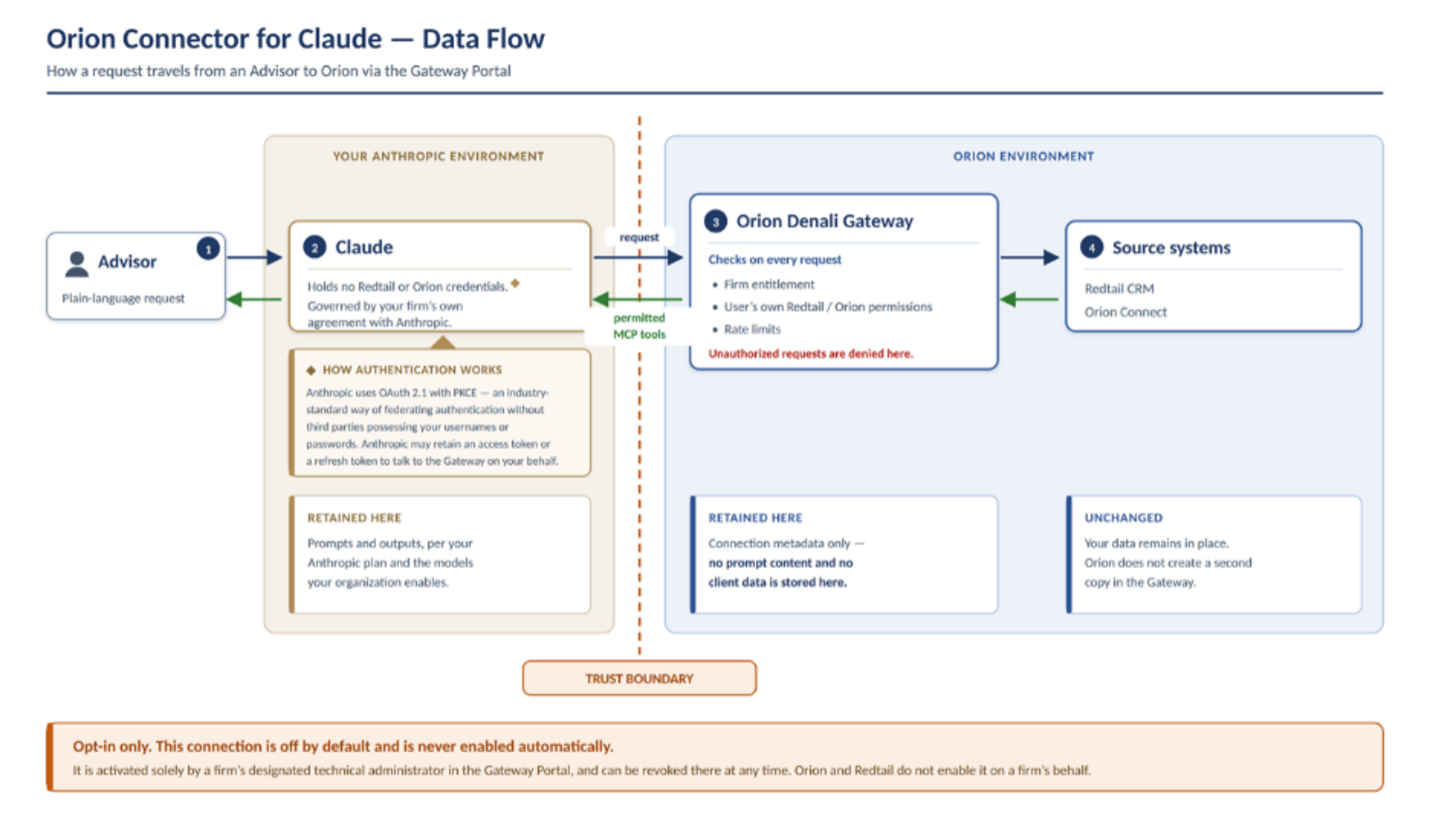
The connector respects an advisor's existing Orion Connect and Redtail permissions while giving firms firmwide controls and governance over access, so advisors see only what they are entitled to see.
Orion's MCP connector is available now in Anthropic's Claude connector directory and builds on the collaboration Orion and Anthropic first announced in February 2026.
Built for advisors, advisory teams, and operations staff who want to spend less of the day assembling information. At launch, it supports four everyday tasks.
01 · Meeting prep
Ask for a client update and get performance, holdings, recent activity, and relationship history pulled together into a meeting agenda with proposed talking points, rather than assembling it from multiple systems beforehand.
02 · Follow-up
Turn meeting notes into a clean summary with clearly identified action items, owners, and next steps, so nothing is lost between the conversation and the CRM.
03 · Pipeline
Get a read on the opportunity pipeline, what is progressing, what has stalled, and what is close, plus a prioritized list of prospects and clients worth reaching out to next.
04 · Reporting
Point Claude at a report and get the notable activity called out, with talking points ready for the next client or team conversation.
Firmwide controls and governance over who can reach what. Entitlements come from your product catalog, so every advisor sees only what they are entitled to see.
Single, governed front door. Firm administrators sign in to the Orion Gateway Portal to manage access.
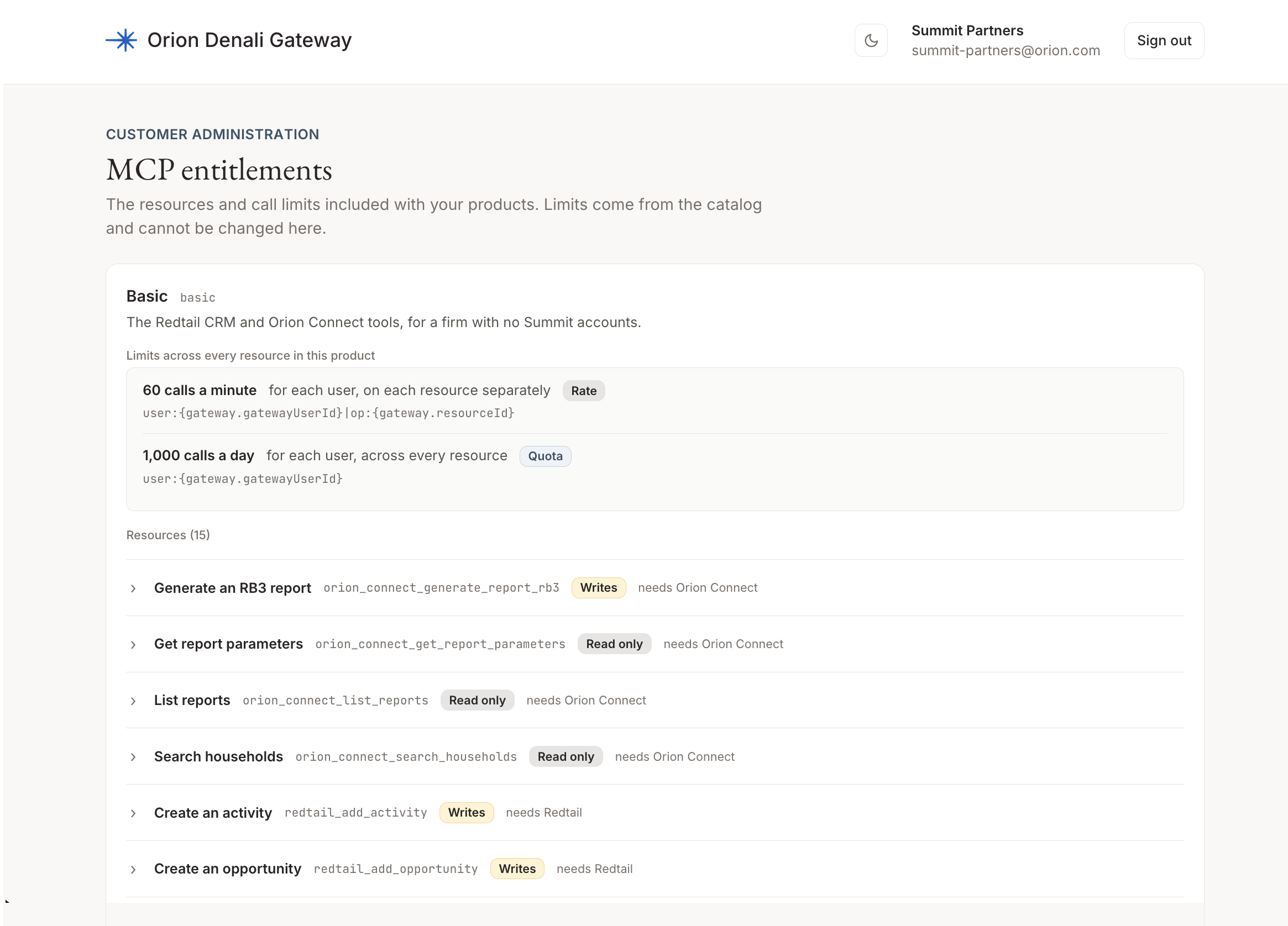
Resource-level entitlements. See exactly which MCP tools a product includes, which are read-only versus write, plus rate limits and daily quotas.
The same connection that powers the connector is built so firms can connect their own AI to Orion, with Orion serving as the front door to the data and workflows advisors already run their businesses on. Firms early in their AI work can start with Orion's connector for Claude for Financial Advisors, and firms ready to build their own, can connect directly.
Frequently Asked Questions
What level of access does Orion’s Claude for Financial Advisors connector have to my firm’s data?
Orion’s Claude for Financial Advisors connector is designed for firms that are utilizing the Claude platform and, have configured their own use and access in a manner that ensures the protection and security of that data. Neither Orion nor Redtail will enable these connectors for any firms or users of our platforms. Enablement and use of the connectors requires a deliberate action by your firm's designated technical administrator in the Orion Denali Gateway Portal. It cannot be enabled by an individual user, by Redtail, or by Orion. If you take no action, no client data of yours goes anywhere, today or at any point in the future.
For firms that enable the connector, it will operate under each user’s existing Orion Connect and Redtail permissions. The Denali Gateway Portal governs how existing access reaches an external tool; it does not broaden access.
Because MCP responses through the Orion Denali Gateway Portal can include real client data, we recommend that you connect through an enterprise or business account for Claude, or another AI provider, and ensure that all settings and configurations within the AI provider’s platform are configured as your firm intends them to be from a data security, privacy, access, retention, and training perspective.
This webpage may contain links to third-party websites. Any links to such third-party websites are provided solely as a convenience to you and not as an endorsement by Orion of the content on such third-party websites, or any affiliation or association with its operators. Orion is not responsible for the content of linked third-party websites, including, without limitation, any link contained in a linked website, or any changes or updates to a linked website, and do not make any representations regarding the information, services, products or accuracy of any material contained on such third-party websites.